Numera guide
Everything Numera does, in the order you are likely to meet it.
Basics
Type an expression the way you would write it. Numera evaluates as you go and shows the running result under the expression; the equals key commits the line to the tape. Multiplication and division bind tighter than addition and subtraction, exactly as you would expect on paper.
Backspace deletes the last entry — deleting a close bracket reopens its group rather than throwing it away. C clears the line. Tap the result or the expression to copy it.
Brackets & retro-wrap
One key handles all brackets, and its face always shows what it will do: ( where a number could start (tap again to nest), ) when a bracket is open and the term is complete.
Retro-wrap is the useful part: when nothing is open, the key shows (…) and a tap wraps everything you have typed so far. If you have entered 12 + 3 and then realise the whole thing needs to be multiplied, tap the bracket key and continue — (12 + 3) × 4 gives 60, not 24, without retyping anything.
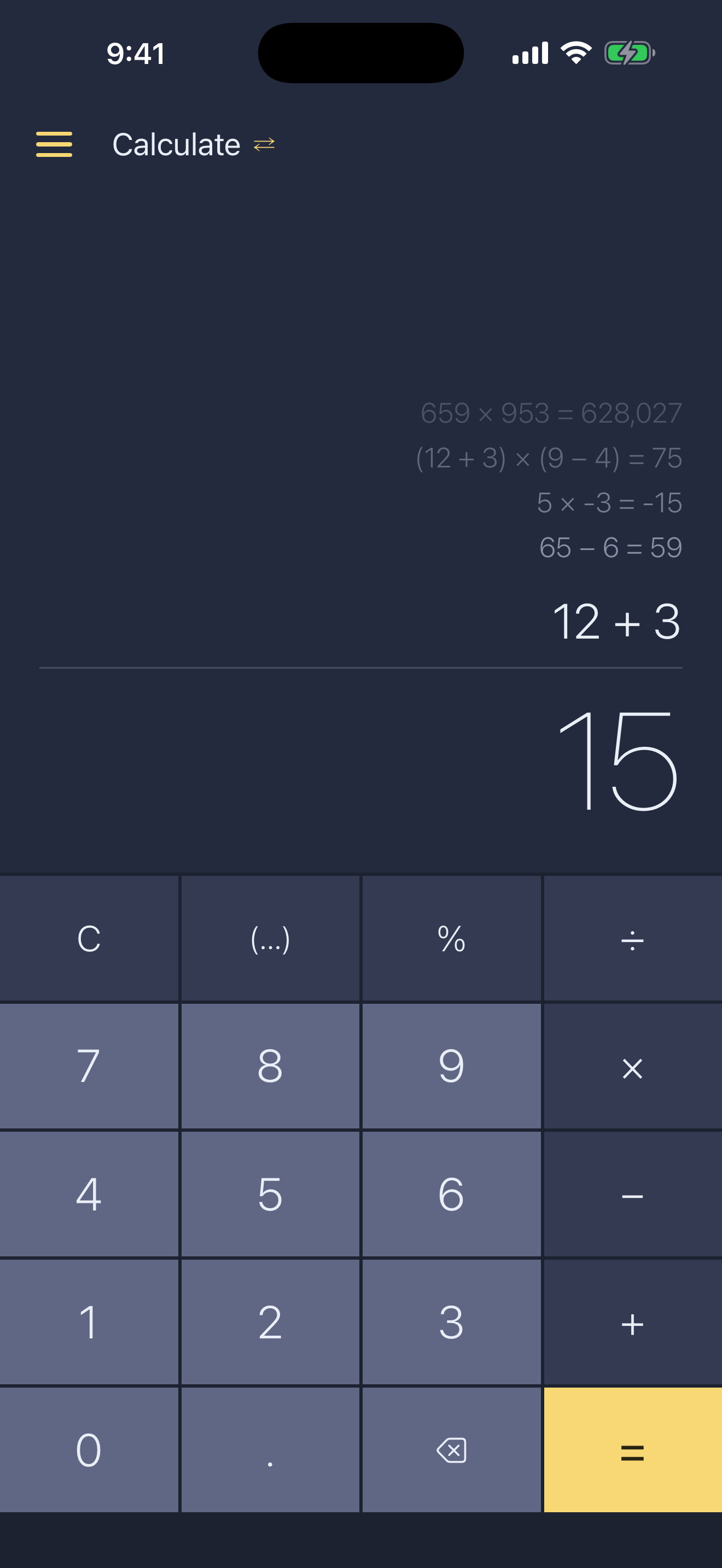
You never count parentheses: the running result quietly closes any open brackets so it always shows a number, and equals closes them for real.
History tape
Committed lines stack above the display, fading with age. Tap a line to copy it. Press and hold a line to load it back into the calculator for editing — in Currency or Convert it also restores the currency or unit pair the line used. Swipe a line left to delete it.
The tape survives relaunches and never leaves the device.
Currency
Currency is its own mode — tap the title to switch, or use the menu. Type an amount and both sides of the conversion update live; arithmetic works in the amount, so 100 + 250 converts the running 350. The pickers open at half height with your recent choices pinned on top, and type-to-filter finds anything else.
Rates come from the European Central Bank via the Frankfurter API, refresh daily when you are online, and are cached otherwise — it works fully offline. The rate and its date are always shown under the result, so you know exactly what you are looking at.
Units
Convert works the same way: 61 units across length, mass, area, volume, temperature, speed, time and data. Conversions use exact ratios — an inch is exactly 2.54 cm — and arithmetic works here too: 2.5 × 4 converts the resulting 10.
Small things worth knowing
Press and hold − to flip the sign of a finished result.
Pressing = again repeats the last operation: 5 + 3 = = = steps through 8, 11, 14.
A rounded amount carries a small ≈ above its last digit — it marks where the rounding happened, not just that it did. Decimal places for currency and units are separate settings.
Still stuck? The FAQ covers the common questions, and you can always write to me.